Arista Networks Logo
Academy
  • About
    • Arista Academy Training Product Brief
  • Learning Tracks
    • Explore Learning Pathways
    • Academy Live
    • Purchase All Access Pass
    • Purchase Tracks
    • Certifications & Migration
  • Certification Exams
    • Purchase Exams
    • Arista Academy Exam Requirements and Policies
    • Enhanced Certification & Recertification Overview
  • Labs
    • Purchase Lab Add Ons
  • News
SIGN IN REGISTER
Arista Networks Logo
Academy
Arista Networks Logo
Academy
  • About
    • Arista Academy Training Product Brief
  • Learning Tracks
    • Explore Learning Pathways
    • Academy Live
    • Purchase All Access Pass
    • Purchase Tracks
    • Certifications & Migration
  • Certification Exams
    • Purchase Exams
    • Arista Academy Exam Requirements and Policies
    • Enhanced Certification & Recertification Overview
  • Labs
    • Purchase Lab Add Ons
  • News
  • SIGN IN
  • REGISTER

Q1/2026 - Arista Academy Unveils Major Lab Environment Upgrades

Arista Academy's Q1/2026 lab updates. Explore six new hands-on features, including interactive topologies, link impairments, and live packet capture.

Lab Updates

Visualization

New Interactive Topology Diagram

Say goodbye to static diagrams. Our redesigned topology view is now fully dynamic and interactive. Students can zoom into specific areas of a topology, check live device status at a glance, inspect link parameters, and confirm interconnectivity — all without leaving the interface.
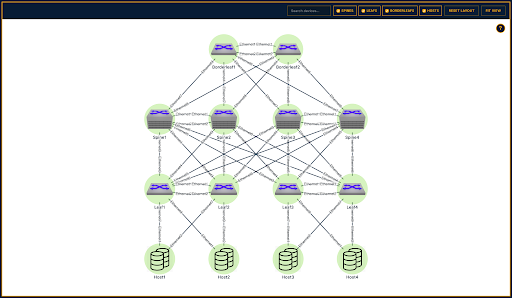
New Interactive Topology Diagram
Simulation

Link Impairments

Real networks don't always behave perfectly — now your labs don't have to either. With the new Link Impairments feature, students can simulate real-world conditions like latency, packet loss, jitter, and duplication directly on a link to build troubleshooting instincts.
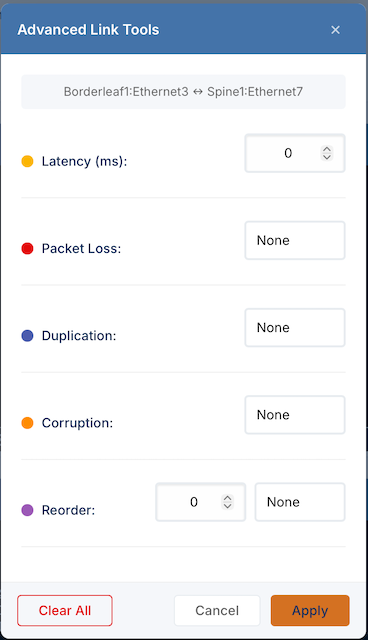
Link Impairments
Visibility

Dataplane Packet Capture

Troubleshooting starts with visibility. Our new packet capture capability lets students capture and analyze live control plane and data plane traffic across switch interfaces directly within the lab. This makes it dramatically easier to connect theory with what's actually happening on the wire.
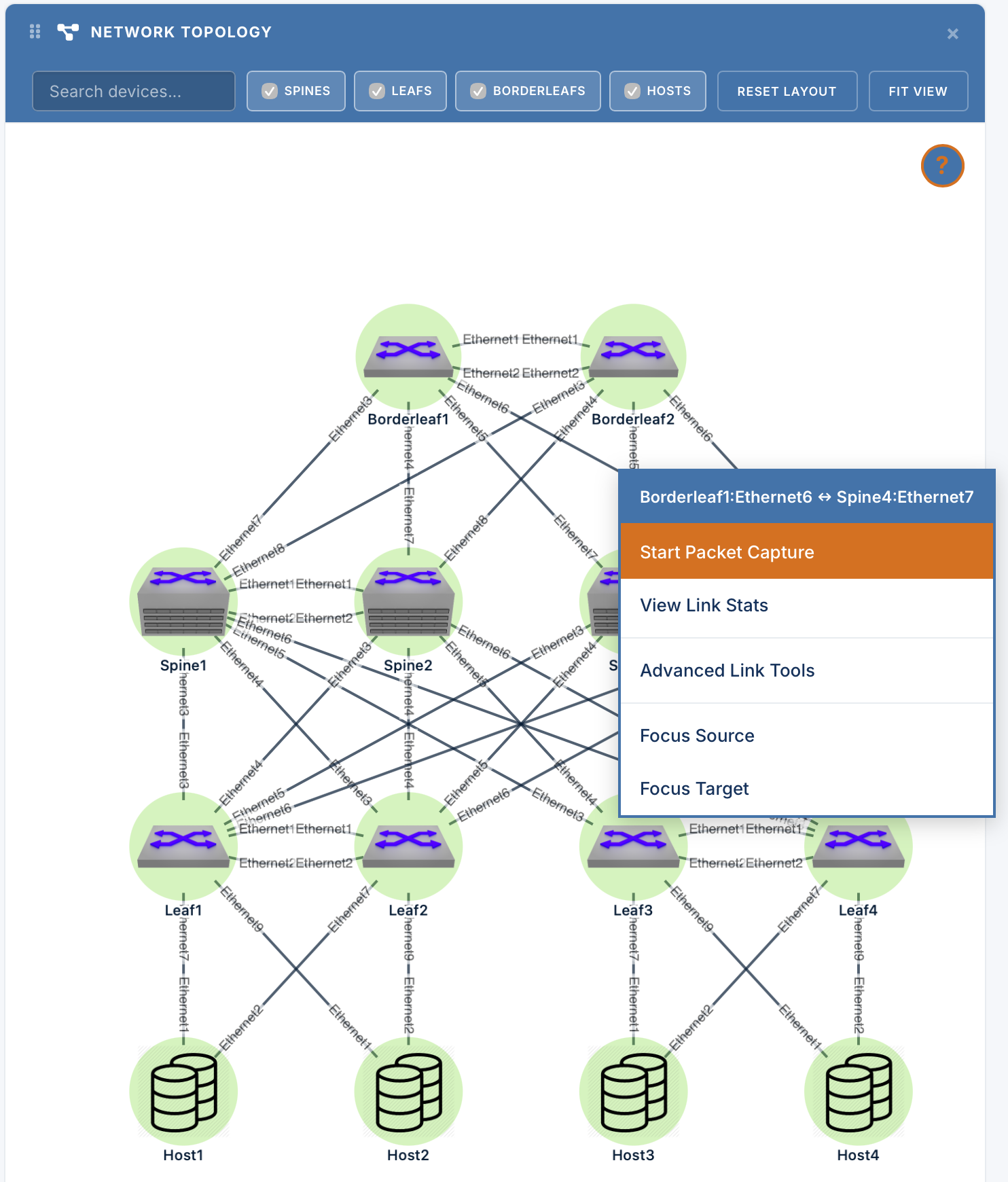
Dataplane Packet Capture
Terminal Access

Upgraded In-Browser WebSSH Console

Launch terminal sessions to any device instantly, right from your browser. The refreshed WebSSH console supports multi-tab navigation, side-by-side split-screen views for comparing CLI output, and a suite of built-in terminal productivity tools.
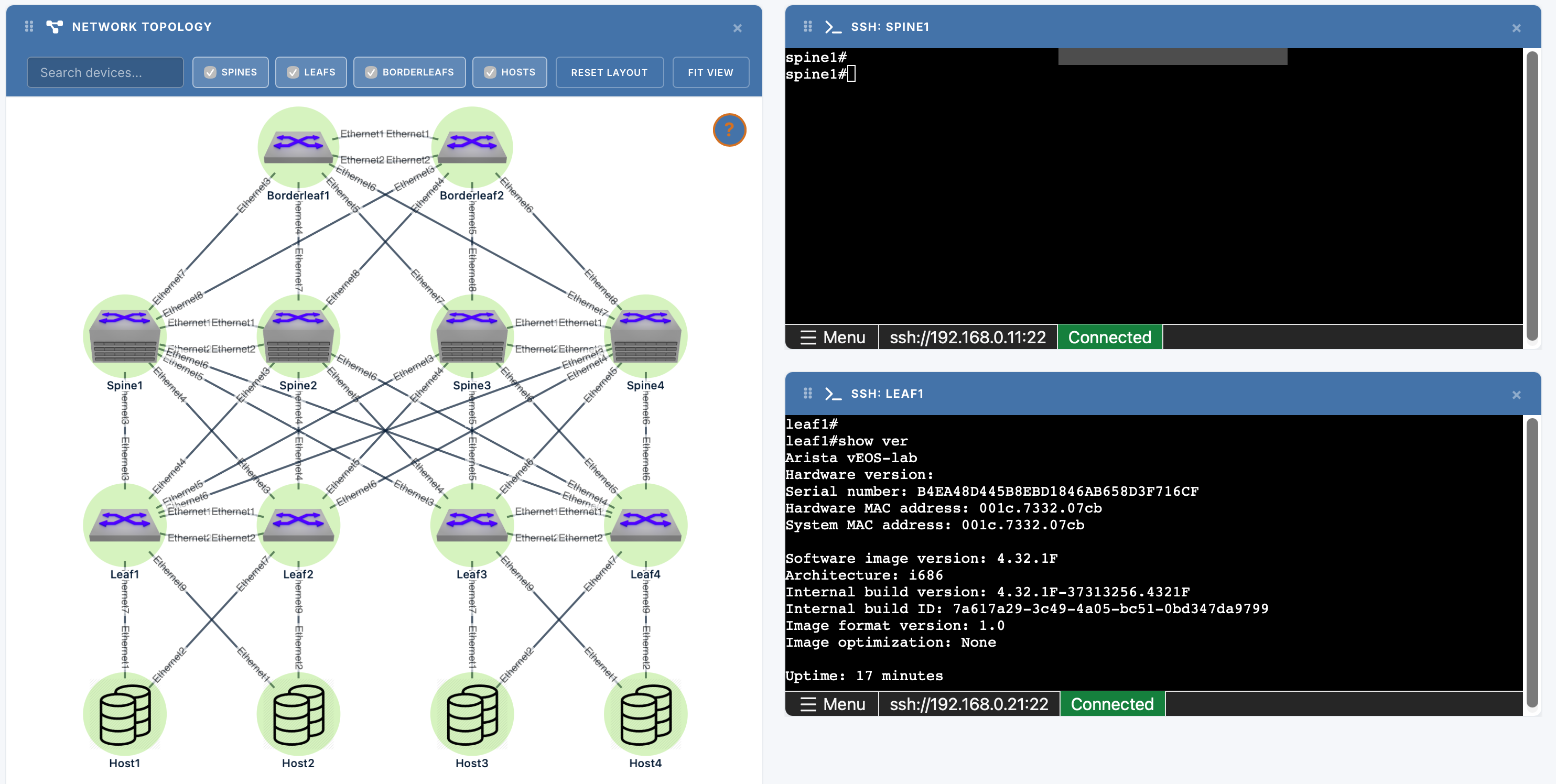
Upgraded In-Browser WebSSH Console
Management

Direct Console Access

For early-boot and out-of-band scenarios, students can now connect directly to the out-of-band serial console of any lab node. Ideal for early boot-stage troubleshooting and ZTP exploration.
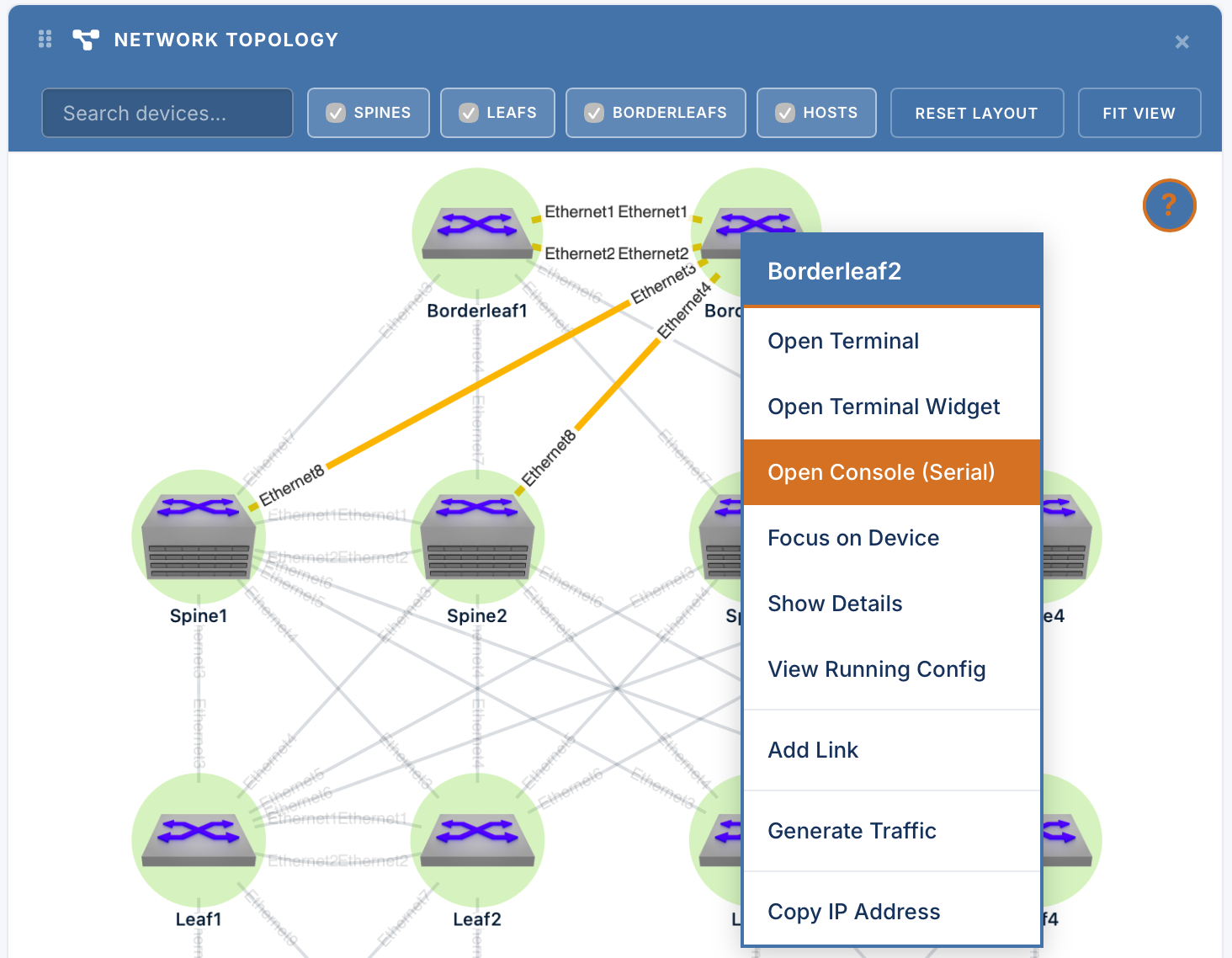
Direct Console Access
Workflow

Custom Topology Menu & Presets

Mistakes are part of learning — now recovering from them is instant. The new Topology Menu lets students quickly reset devices or jump between predefined lab stages (initial base state vs. troubleshooting scenario). No more manual rebuilds.
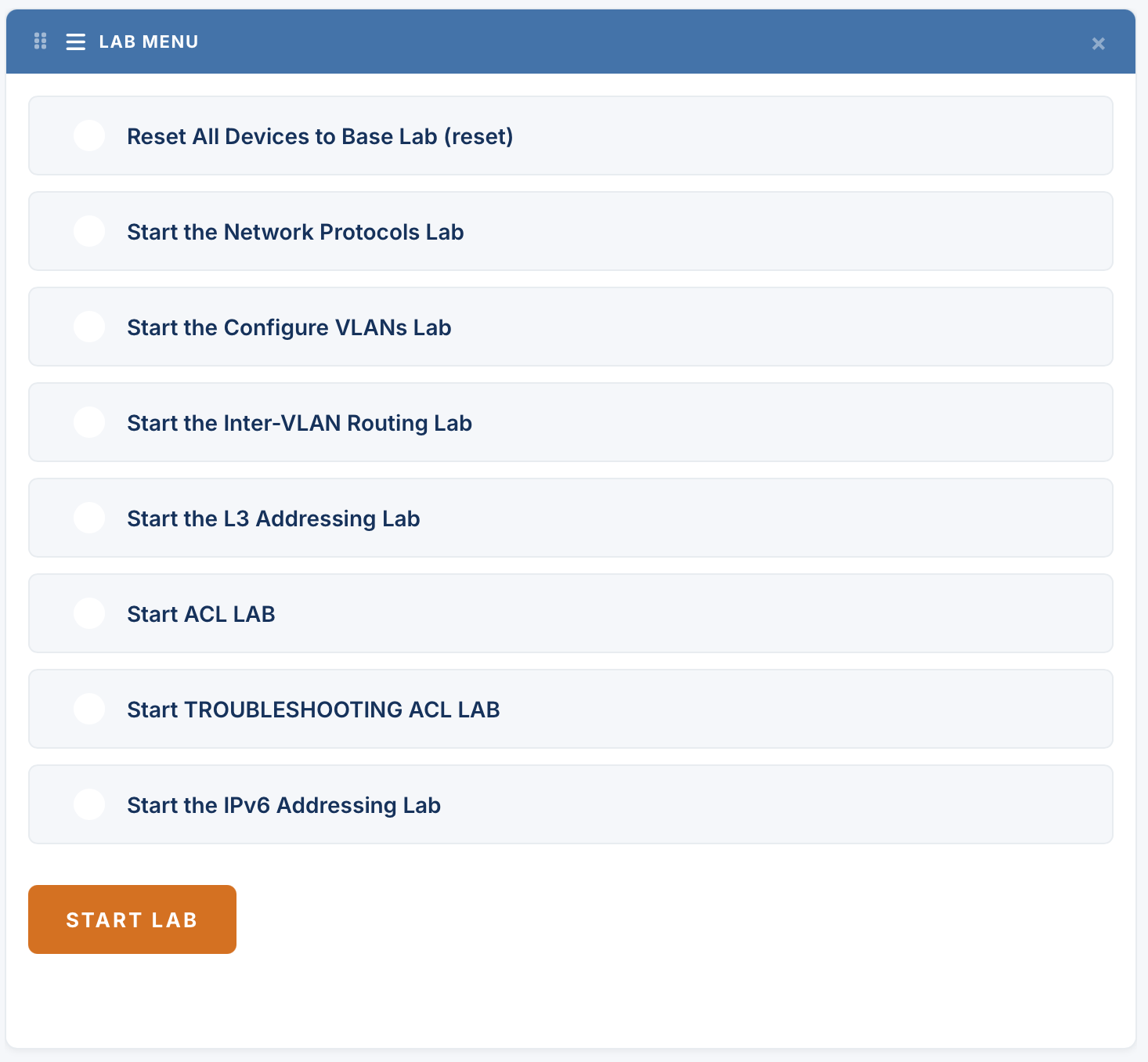
Custom Topology Menu & Presets

Course/Track Updates

CERTIFICATION

Data Center Professional Exam

Earning Professional-level certification just got more flexible. The new Data Center Professional Exam offers a streamlined path to Professional status through a single 4-hour practical assessment — covering both operations and engineering skill sets in one sitting. Importantly, this doesn't replace the existing route to certification. Candidates can still earn Professional status the traditional way, by passing the Data Center Operations and Data Center Engineering Specialist exams individually. The new Professional Exam simply gives candidates who are ready to validate both skill sets at once a faster, consolidated alternative— the choice is yours.
AUTOMATION

Advanced Automation Track — Phase 1

Automation continues to be one of the fastest-growing areas of our curriculum, and Phase 1 of the Advanced Automation Track is now live. This phase dives deep into the tools engineers need to automate at scale, with in-depth courses covering:

  • Python for network automation
  • Ansible for configuration management
  • CloudVision Studios for streamlined, template-driven operations

Both the Automation Foundations and Advanced Automation tracks are currently available exclusively through the Academy Digital All-Access Subscription. Phase 2 of the Advanced Automation track is already in development, continuing to build out this critical curriculum.

ROUTING

WAN Routing: MPLS Core Exam

The first certification in our new Routing portfolio has officially arrived. The MPLS Core Exam corresponds to the foundational learning track within WAN Routing, validating candidates' skills in MPLS WAN technologies and segment routing — capabilities widely used by service providers and large enterprises managing complex WAN infrastructure. This exam marks the beginning of a growing Routing certification path, with additional WAN-focused content planned for later this year.
EXPERT PATH

Arista Expert Qualification Exam

Reaching for the Expert credential just got a clearer on-ramp. To help ensure candidates are truly ready for the demands of the two-day, multi-topology Level 7 Expert Exam, we've introduced the Expert Qualification Exam — a 4-hour assessment that is now a mandatory prerequisite for Expert-level candidates. This qualification step confirms that candidates have the foundational knowledge needed to succeed in the Expert-level lab, helping set candidates up for success before they commit to the full Expert exam experience.

MORE TO COME

We are always developing new training materials, certification tracks, and technical resources to support your learning journey. Keep an eye out for more updates, lab expansions, and fresh content coming soon!

Email Us: training@arista.com →
Arista Networks Logo
Academy
Facebook Twitter LinkedIn YouTube
Corporate Headquarters Arista Networks
5453 Great America Parkway Santa Clara CA United States 95054
+1-408-547-5500